

What an Amazon repricer is and what it is for
If you have been selling on Amazon for a while, you have probably also come across a rather unfavourable scenario. You open Seller Central, check a product and find that a competitor has adjusted their price, that the Buy Box has gone to them and that your sales have slowed down.
In short, you have experienced first-hand the fact that the right price a few hours ago is no longer the most appropriate one now. A repricer is designed precisely to handle this situation: aligning the price that best serves your goals, without having to sit in front of the screen all day.
Subscribe to Newsletter
Articles, mini-guides and updates on Amazon world from leading insiders.
ZonWizard is about to launch its own Repricer, which starts from what you want to achieve and works within the margins you decide. Subscribe to the newsletter to stay up to date on the Repricer launch.
Read also our article Amazon Auto Buy: the new button that is changing the rules of pricing for sellers
What is a repricer?
Let’s take it step by step. A repricer is software that automatically changes the price of your offers on Amazon based on rules you decide. It connects to your seller account, watches what happens on your listings (competitors’ prices, who holds the Buy Box, stock levels) and updates prices when conditions change.
Oh, in case you didn’t know, the Buy Box is the box with the Add to Basket button. On a listing with several sellers, the vast majority of purchases go through it, with the result that whoever holds it sells, and the others don’t.
That said, on competitive listings where the Buy Box is active, prices can change several times a day. Updating them by hand is certainly not the most practical solution in terms of:
- Speed: by the time you notice the change, several hours of sales are probably behind you.
- Consistency: in the evening, at the weekend or on holiday, nobody has the time or the means to check prices.
- Scale: with 10 products it can probably be done, but if your catalogue has hundreds of products, it can’t.
Of course, a repricer is not a cure-all. And the opposite problem is also very real. If you automate badly, the software can drag your prices down much faster than a person would. That is why how you set up the repricer matters more than having one.
Read also our article Amazon tests native price tracking: how it works and how to prepare
How a repricer works
- You connect your account and choose the products to manage.
- You set the limits: a minimum price not to go below and a maximum price not to go above.
- You choose the behaviour: most software, for example, has you chase the lowest competitor or stay close to the Buy Box price. The ZonWizard Repricer does more.
- The software monitors the market and, when something changes, calculates the new price within your limits.
- The price is updated on Amazon without manual intervention.
With these features, the repricer is a really useful tool for all Amazon sellers. With it, in fact, you can:
- Defend and win the Buy Box. Reacting quickly to competitors’ moves increases the time your offer is the featured one.
- Protect your margin. A well-configured repricer doesn’t just impose the lowest price. Rather, it competes as long as the sale pays off and stops when it no longer does.
- Seize upward opportunities. If a competitor runs out of stock or demand rises (weekends, Prime Day, Black Friday), a well-set maximum price lets you earn more on every unit.
- Save time. The hours spent checking prices are freed up for sourcing, listings and advertising.
- Manage different situations on the same account. A new product to push, a well-established one and an end-of-season one require different logic. A repricer lets you assign them per product.
Are you really making a profit?
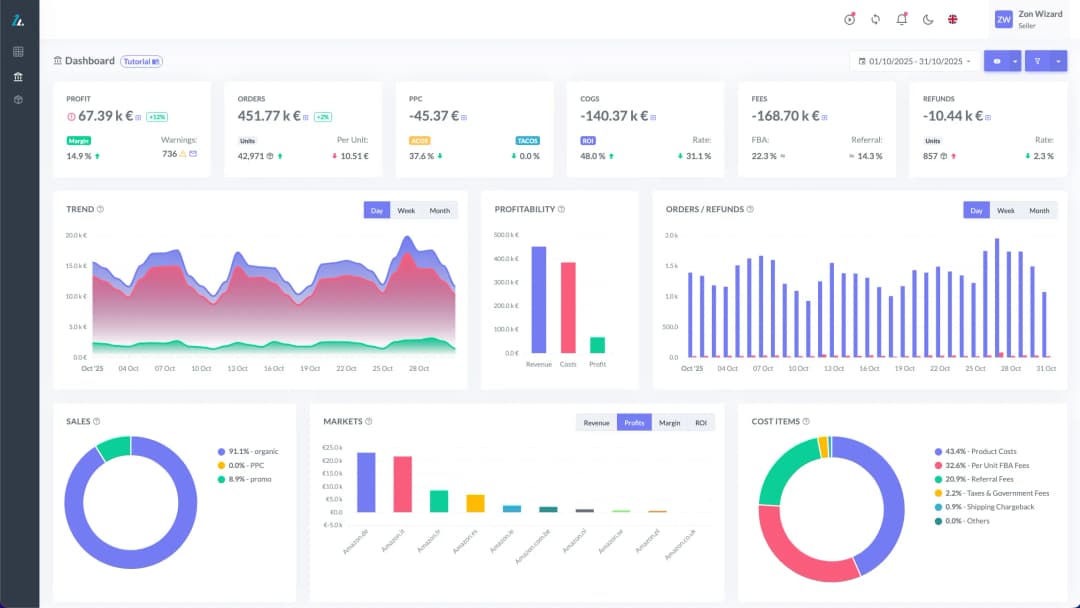
See your true net margin on every order with ZonWizard's profit analytics.
Learn MoreWho a repricer is for
A repricer is very useful if:
- you sell on listings shared with other sellers (reselling, arbitrage, wholesale);
- you have a catalogue large enough that it cannot be checked by hand;
- you operate in categories where prices change often.
The tool is less useful if:
- you sell a private label product with an exclusive listing: you don’t have to compete for the Buy Box, so a repricer is mainly there to find the most profitable price and to protect the listing from unauthorised sellers;
- you have very few products with stable prices.
Read also our article Understanding all the Amazon fees
Common beginner mistakes
Although the advantages of a repricer are considerable, it is always worth remembering that the keys to the tool are always in the seller’s hands. It is therefore essential that the seller acts with a careful strategy, avoiding stumbling into the most common mistakes, such as:
- Activating it on the whole catalogue on day one. Start instead with a few products and watch how it behaves for a few days.
- Setting a minimum price by gut feeling. It is the most expensive mistake and, despite many people’s experience, also one of the most widespread.
- Competing with everyone. An offer shipped by the seller should not chase the price of a Prime offer. Choose the competitors you really want to compare yourself with.
- Forgetting to review the settings when costs, season or stock change.
Read also our article What is ROI and how is it calculated
Frequently asked questions
We have seen that a repricer is not a magic wand and does not replace your decisions: it applies them faster and more consistently than you could. The value lies in defining goals and limits well, then letting automation work within those boundaries.
To conclude our in-depth article, we wanted to answer some frequently asked questions on the topic of repricing.
Can a repricer sell below cost? Only if the minimum price you set allows it. The software respects the limits you give it, which is why they must be calculated on real costs.
Do I really need it if I sell little? No. With few products and stable prices, manual management may be enough. It becomes useful when competition grows.
Does a repricer guarantee the Buy Box? No. Amazon assigns it by evaluating many factors besides price, such as shipping method, seller reliability and availability. The repricer optimises several parameters but does not guarantee 100% of the Buy Box.
Can I use different logic for different products? It is one of the main reasons to use one: each product has a different goal at different times.
Want to see how it works on your products? ZonWizard is about to launch its own Repricer, which starts from what you want to achieve and works within the margins you decide. Subscribe to the newsletter to stay up to date on the Repricer launch.
Know your real Amazon profit
Track margins, fees and net profit in one clear dashboard with ZonWizard.
Learn MoreLoading…

Repricer minimum price: how to calculate it without losing money on every sale
When setting up a repricer, all the attention goes to the strategy: chase, stay close, go up. The minimum price is often set in a hurry, with a round figure that looks safe, and then forgotten. Yet it is the number that determines the worst sale the software is allowed to make, and the repricer…
November 3rd, 2026

How repricing affects Amazon margins
Faced with a competitor who has just overtaken you for the Buy Box, the instinct is to lower your prices, even by a few cents, to become the most economically attractive option in the eyes of consumers. It may seem like a sustainable move, but it is often the start of a progressive and very…
November 3rd, 2026
Ready to transform your business?
Start your free 30-day trial today, setup takes just a few minutes. No credit card required, cancel anytime.