

Why Amazon sometimes deletes listings: what causes it and how to act
If you sell on Amazon, you may already have been through this unpleasant surprise. You open your inventory management page, and one of your listings is gone. No warning, no email, just the feeling of having lost sales, organic ranking and months of work in a matter of minutes.
There is good news, though. In most cases there is an identifiable cause and a concrete fix. In this guide we will look at exactly why Amazon can delete, suspend or hide a listing, how to tell the different scenarios apart and what to do, step by step, to solve the problem as quickly as possible.
Subscribe to Newsletter
Articles, mini-guides and updates on Amazon world from leading insiders.
Deletion, suppression and invisibility are not the same thing
Before talking about causes and solutions, it is worth clearing up a point that confuses a lot of sellers: not every listing that disappears has actually been deleted.
There are at least three different scenarios, and they are worth spelling out:
- Actual deletion of the listing: the product disappears completely from inventory management. This is the rarest case, and it is sometimes down to bugs in the Seller Central backend.
- Suppression (Search Suppressed): the listing is still active in your account, but it does not show up in search results. The customer cannot find it, even though technically the listing still exists.
- Offer deactivation (Inactive): the listing exists, but the offer cannot be bought because of pricing, availability or compliance issues.
Working out which of these three scenarios you are in is of course the first step to acting correctly, because the solutions are different. Let us go through them.
Read also our guide Amazon inventory management: a guide to optimising your stock
The most common causes of deletions and suspensions
In the next few lines we have tried to sum up the most common causes of deletions and suspensions. For each one, we will then see how you can act to restore the situation you had before.
Content policy violations
This is one of the most frequent causes. Amazon enforces very strictly the policies covering:
- Medical or therapeutic claims, even implicit ones (words like cure, prevents, treats in categories such as supplements or cosmetics are often enough to trigger an automatic suspension);
- Intellectual property violations (unauthorised trademarks, images or copy);
- Misleading content in the title, bullet points or images.
In these cases Amazon’s system often acts automatically, through algorithmic scanning of text and images, with no immediate human review.
Incomplete catalogue attributes or data
If mandatory category attributes are missing, if images do not meet the minimum requirements, or if there are inconsistencies between the category and the product’s features, Amazon can suppress the listing from search until the data is corrected.
Inventory or offer problems
An offer can become inactive for reasons far less serious than they look. Think of a price outside the allowed threshold, a long stretch with no stock, or issues with the shipping method.
Technical bugs in the Seller Central backend
A less frequent cause, but one you cannot rule out, is technical bugs in the Seller Central backend. There have already been episodes where entire groups of sellers saw their listings vanish from inventory because of platform-side problems, with no violation on their part. In these cases the restore depends on Amazon itself, but having a backup of your catalogue data makes republishing enormously faster.
Suspension at account or ASIN level
In the most serious cases, the deletion of the listing is the consequence of a wider suspension linked to performance, product authenticity or repeated customer complaints.
Are you really making a profit?
See your true net margin on every order with ZonWizard's profit analytics.
Learn MoreHow to act: the procedure to follow, step by step
When you notice that a listing is no longer visible or has disappeared, acting with a strategy can make a real difference between solving it in 48-72 hours and being stuck for weeks.
Check the listing’s actual status
Go to Manage Inventory and use the “Search Suppressed” and “Inactive Listings” filters to work out whether the product is still in your catalogue or has actually been removed.
Check the Fix Your Products page
Amazon often flags the specific cause there: missing attribute, non-compliant image, wrong category. It is the fastest way to understand whether you are dealing with a data problem rather than a violation.
Run a content audit
Re-read the title, bullet points, description, backend keywords and any text inside the images. Look in particular for claims that are not allowed, especially if you sell in sensitive categories (health, wellness, cosmetics, supplements).
Restore from a flat file, if necessary
If the listing has actually been deleted and no longer appears in the catalogue, you can recreate it through a flat file. Provided, of course, that you have kept an up-to-date backup of the data (SKU, attributes, category).
Submit a structured plan of action, if required
If the cause is a policy violation, correcting it is not enough. What you usually need is a written plan of action explaining what was wrong and what you have changed. A generic plan slows down response times or makes it impossible to get back to where you were.
Track the restore times
Where a content violation has been fixed properly, reinstatement often happens within 72 hours. Where the cause is a technical bug, the timing depends on Amazon and can be longer.
Read also our article How to sell on Amazon USA: The Complete Guide for European sellers
Prevention is better (and much cheaper) than cure
The most expensive part of a deletion or suppression is almost never the time it takes to fix it, but the sales lost in the meantime and the impact on the ASIN’s organic ranking, which often does not go back to its previous levels even after reinstatement.
That is why, for anyone selling on Amazon in a structured way, prevention comes down to three habits:
- Regular catalogue reports. A listings report at least once a week means you always have a backup ready for republishing.
- Constant monitoring of performance and KPIs, not just sales but margins and profitability too, so you notice immediately if a drop in visibility is hitting the real numbers of the business.
- Periodic content compliance checks, especially when you operate in regulated categories.
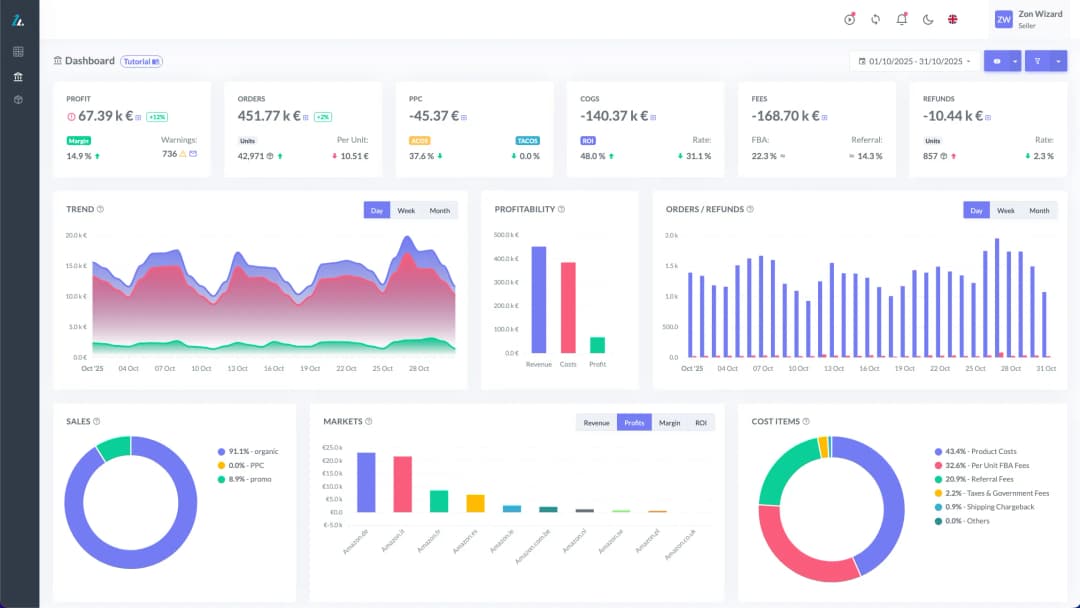
This is where a tool like ZonWizard can be a big help. Having sales, margins and KPIs per ASIN under control in a single dashboard lets you spot an unusual drop in organic visibility in real time, before the problem turns into financial damage that is hard to recover from.
If you sell in categories that are particularly exposed to the risk of non-compliant claims (health, supplements, cosmetics), you may also find it useful to look at our guide on Amazon reviews, which also covers reputation management and content compliance. Or explore the Tutorial section, where you will find hands-on guides written for Amazon sellers.
Read also our article Amazon and the fight against counterfeiting: 15 million fake products blocked in 2025
Try ZonWizard for free
If you want to keep margins, KPIs and the performance of your Amazon catalogue under control without manually cross-checking dozens of reports, you can try ZonWizard for free. That way you will see in a few minutes how it works with your real data.
What to do if the problem persists
If, after correcting content, attributes and inventory, the listing stays suspended or does not come back into view, the next step is to open a case with Seller Support providing as much evidence as possible. Keep track of screenshots, change history, catalogue reports with dates. The more precise the documentation, the faster the case gets handled.
In cases of large-scale technical bugs, on the other hand, the only lever is reporting it promptly, backed by your data backup. That is what can save you weeks of lost sales.
Read also our article Claude Sonnet 4.6 on Amazon Bedrock: what changes for sellers
In short
The deletion or suspension of an Amazon listing can come from very different causes. As we have seen, it can happen because of policy violations, incomplete catalogue data, inventory problems or, more rarely, technical bugs on the platform. The way you react in the first few hours is what really makes the difference. Checking the listing’s actual status, pinpointing the specific cause and acting with a data backup and a well-documented appeal are the moves that cut restore times dramatically.
Above all, keeping margins, KPIs and catalogue performance under continuous control lets you spot a problem before it becomes serious financial damage.
👉 If you want to start monitoring your Amazon business on a more solid footing right away, you can try ZonWizard free for 30 days.
Know your real Amazon profit
Track margins, fees and net profit in one clear dashboard with ZonWizard.
Learn MoreLoading…

Selling with PrestaShop: an introductory guide for those starting from scratch
When people decide to open an online store, the names that come up most often are usually Amazon and Shopify. But there is another route, one geared towards full control of your own store: PrestaShop. PrestaShop is in fact one of the most widely used e-commerce platforms in Europe, chosen by hundreds of thousands of…
October 6th, 2026

Selling on multiple channels profitably: the practical guide to getting started!
Selling only on Amazon is a great starting point, but today most sellers who really want to grow are looking at multichannel selling: eBay, Shopify, WooCommerce, PrestaShop, and perhaps several Amazon marketplaces at once. The potential is huge. More channels mean more customers reached, less dependence on a single algorithm and steadier revenue.
October 6th, 2026
Ready to transform your business?
Start your free 30-day trial today, setup takes just a few minutes. No credit card required, cancel anytime.