

Overselling on Amazon and marketplaces: how to avoid it with a synchronised inventory
Overselling is the harmful practice of selling a product you no longer actually have in stock. It is, to all intents and purposes, one of the most feared risks for anyone selling online across multiple channels. And, as we will see, it often happens far faster than you might imagine.
Let’s picture a typical scenario. An order comes in from Amazon while the very same product is being sold at the same moment on your Shopify store. The system doesn’t have time to update the available quantities, and the result is a customer who will never receive their parcel, a forced cancellation, a refund and, above all, a serious blow to your reputation as a seller.
Subscribe to Newsletter
Articles, mini-guides and updates on Amazon world from leading insiders.
That is exactly why, and to head off every possible danger in this area, in today’s guide we want to focus on a few aspects we consider very important:
- what overselling is
- why it happens to multichannel sellers more often than you might think
- what consequences it has on Amazon and on other marketplaces
- how to prevent it with inventory synchronisation processes and tools.
Let’s get started!
What overselling is and why it’s a problem you need to deal with
Let’s start with the basics: we talk about overselling when the quantity of a product sold exceeds the quantity actually available in stock.
In most cases it isn’t a careless mistake, but a direct consequence of multichannel selling. The same SKU is listed on Amazon Europe and perhaps on Amazon North America too, and on your own Shopify or WooCommerce store. Your physical stock, however, is a single pool shared across all these channels.
Now, if each platform manages its own stock counter independently, without real-time updates, you run the risk of selling the same item twice, especially during traffic peaks such as Black Friday, Prime Day or the Christmas holidays, when orders come in one after another within minutes.
The consequences of overselling can be devastating. On Amazon in particular, too high a rate of seller-caused cancellations (Order Defect Rate) can lead to:
- Penalties in the search algorithm, with a resulting loss of visibility and of the Buy Box
- Temporary or permanent suspension of the seller account, in the most serious cases
- Negative reviews from dissatisfied customers
- Extra handling costs, between refunds, customer communications and wasted time.
On Shopify or other channels the effects are similar: a damaged reputation, account penalties and, more generally, a compromised customer experience with long-term repercussions.
Read also our article What is ROI and how is it calculated?
Why multichannel selling puts you at risk of overselling
Before talking about solutions to overselling, which we will cover in the second part of this guide, it is useful first of all to understand where the problem comes from.
Well, our experience tells us that the main causes are almost always the same:
- Manual stock updates. Anyone working with Excel sheets or manually updating quantities on each platform inevitably introduces a delay between the actual sale and the update of the stock available elsewhere.
- No centralised warehouse. If each marketplace only sees its own slice of inventory rather than your real total stock, the risk of misalignment grows exponentially with the number of channels.
- Synchronisation delays on the platforms themselves. Even with automatic integrations, if the update frequency is low (for example every hour instead of in real time), during busy selling periods the gap can still cause overselling.
- Products handled both via FBA/FBM and through your own logistics. Mixing stock entrusted to Amazon (FBA) with stock managed in-house (FBM) without a single overview makes control even harder.
- Bundles and product variants. When the same component is used in several bundles or variants listed on different channels, keeping count by hand becomes almost impossible.
Are you really making a profit?
See your true net margin on every order with ZonWizard's profit analytics.
Learn MoreHow to avoid overselling: a 7-point guide
Fortunately, avoiding overselling is far from impossible. And, as we will see, there are also some tools that make this goal even easier to achieve.
Let’s look at each step one by one.
Centralise your inventory in a single point of control
The first step, and probably the most important, is to stop managing stock channel by channel. What you need is a single system that represents the truth about your real stock, from which updates then flow to every connected marketplace. The fewer sources you have, the less room there is for error.
Automate synchronisation and don’t rely on manual checks alone
A manual update, however frequent, can never be fast enough during a sales peak. Automating synchronisation across channels shrinks the window of risk in which a product can appear available on one platform when it has in fact already sold out.
Set safety thresholds (stock buffers)
Many experienced sellers never list 100% of the actual available quantity on every channel, but keep a small safety margin (buffer), especially on best-sellers or on products with long reorder lead times. This way you can make up for any micro-delays in synchronisation between one system and another.
Monitor at-risk products regularly
Not all products carry the same risk of overselling. SKUs with a high sales velocity, those on promotion or those with low remaining stock deserve more frequent checks than the rest of the catalogue. Having a dashboard that automatically flags stock running low across all channels at once lets you step in before the problem arises.
Align purchase planning with your multichannel sales history
Preventing overselling isn’t just about synchronising numbers, but also about planning reorders better. If you know your aggregated sales trend across all marketplaces, you can anticipate the moments when stock is likely to drop below the critical threshold and reorder in time, instead of chasing the emergency.
Unify the management of FBA, FBM and your own logistics
If you sell using both Amazon’s logistics and your own warehouse, make sure the system managing your inventory treats both sources as a single pool of availability, so that no channel sees stock that is actually already committed elsewhere.
Pay attention to bundles, variants and multichannel products
If a component is shared across several references or bundles, the logic for breaking down stock must be handled at system level, not in your head. It’s one of the most frequent mistakes, and one of the hardest to spot until it causes a cancelled order!
Read also our guide Amazon inventory management: a guide to warehouse optimisation
A synchronised inventory is your best choice
All the good practices listed above have one thing in common: they need up-to-date, shared and reliable data across your sales channels. Without it, every manual effort remains a temporary patch, bound to collapse at the moment of greatest pressure, which is often when a mistake costs you the most.
A truly synchronised inventory, on the other hand, means having at any moment a real, unified snapshot of your stock on Amazon, Shopify, WooCommerce, PrestaShop and any other connected channel, without having to chase spreadsheets or spend hours cross-checking manual exports.
Read also our article Amazon’s fight against counterfeiting: 15 million fake products blocked in 2025
How ZonWizard helps you avoid overselling
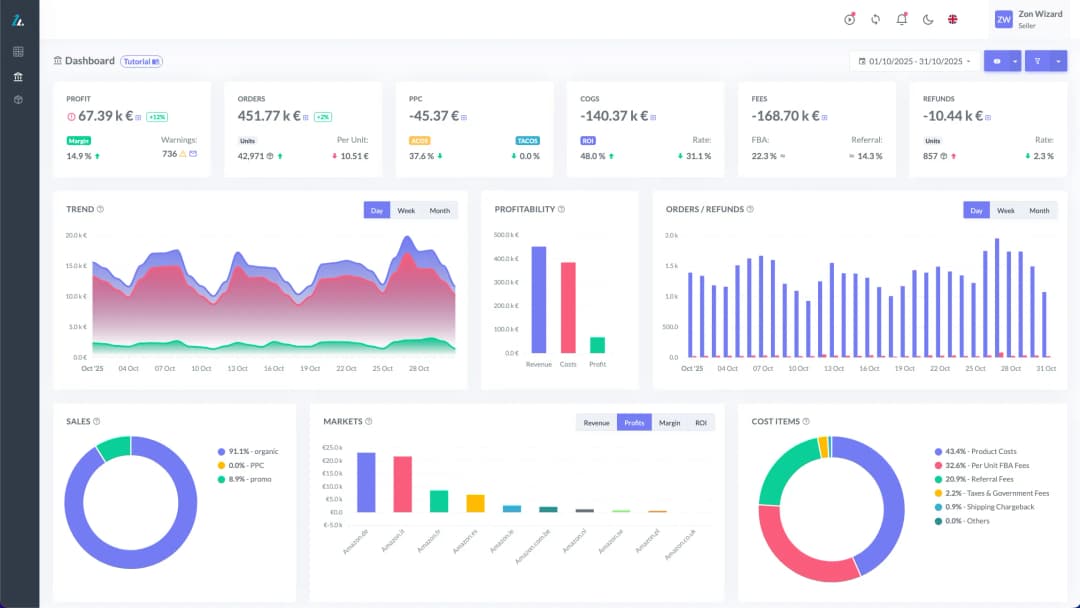
This is exactly the ground covered by ZonWizard, our platform designed for those who sell on Amazon and the main marketplaces and want to keep accounting, profits and inventory under control, without having to do it by hand channel by channel.
Through its marketplace integrations, ZonWizard lets you connect in just a few minutes:
- Amazon Europe and Amazon North America
- Shopify
- WooCommerce
- PrestaShop.
Once the accounts are connected, sales data from all channels flows into a single dashboard, letting you see your entire order flow and availability at a glance, instead of having to check each marketplace separately. You can also connect several accounts to the same ZonWizard profile (useful if you manage several brands or several regional marketplaces), with their data aggregated consistently.
ZonWizard’s Inventory Tool is designed precisely to tackle the problem described in this guide: it helps sellers keep the right balance of stock across all connected channels, with the stated goal of reducing handling costs and, above all, not losing sales because of an unexpected stockout or, conversely, not causing cancellations due to overselling. It is complemented by the Profit Tool, which gives you a clear view of your real margins after fees, advertising and cost of goods sold, and the Accounting Tool, which simplifies tax management and multichannel VAT reports.
For those who also run advertising campaigns, ZonWizard lets you connect your Amazon Advertising, Meta Advertising and Google Ads accounts too, so that you have in one place not only stock and sales, but also the impact of advertising on product performance.
It’s no coincidence that some of the case studies of companies using ZonWizard report concrete results on precisely this front: among the platform’s customers is one that cut stockouts by 60% while keeping margins under control, a direct example of how centralised multichannel inventory management can translate into measurable results.
Read also our article How to sell on Amazon USA: the complete guide for European sellers
Frequently asked questions about overselling and multichannel inventory management
What is overselling on Amazon?
It is selling a product beyond the quantity actually available in stock, often caused by a lack of stock synchronisation between Amazon and other connected sales channels.
What risks does overselling pose for an Amazon Seller account?
Forced order cancellations, a worse Order Defect Rate, possible loss of the Buy Box and, in repeated cases, account suspension.
How do you avoid overselling when selling on several marketplaces?
By centralising stock management in a single system that automatically synchronises available quantities across all connected channels (Amazon, Shopify, WooCommerce, PrestaShop), instead of updating them manually channel by channel.
Is a stock safety buffer really useful?
Yes: keeping a small unlisted reserve quantity reduces the risk linked to micro-delays in synchronisation between systems, especially during busy selling periods.
Can ZonWizard manage inventory on several marketplaces at the same time?
Yes. Through its integrations with Amazon (Europe and North America), Shopify, WooCommerce and PrestaShop, ZonWizard aggregates sales and stock data from all connected channels into a single dashboard.
Know your real Amazon profit
Track margins, fees and net profit in one clear dashboard with ZonWizard.
Learn MoreLoading…

Selling with PrestaShop: an introductory guide for those starting from scratch
When people decide to open an online store, the names that come up most often are usually Amazon and Shopify. But there is another route, one geared towards full control of your own store: PrestaShop. PrestaShop is in fact one of the most widely used e-commerce platforms in Europe, chosen by hundreds of thousands of…
October 6th, 2026

Selling on multiple channels profitably: the practical guide to getting started!
Selling only on Amazon is a great starting point, but today most sellers who really want to grow are looking at multichannel selling: eBay, Shopify, WooCommerce, PrestaShop, and perhaps several Amazon marketplaces at once. The potential is huge. More channels mean more customers reached, less dependence on a single algorithm and steadier revenue.
October 6th, 2026
Ready to transform your business?
Start your free 30-day trial today, setup takes just a few minutes. No credit card required, cancel anytime.